
Database migration often forces organizations to choose between operational continuity and modernization. Acumen Velocity helps clients navigate this challenge by leveraging proven strategies that minimize downtime. By applying these seven techniques, teams can transition legacy systems to the cloud without disrupting critical business operations.
1. Continuous Data Replication
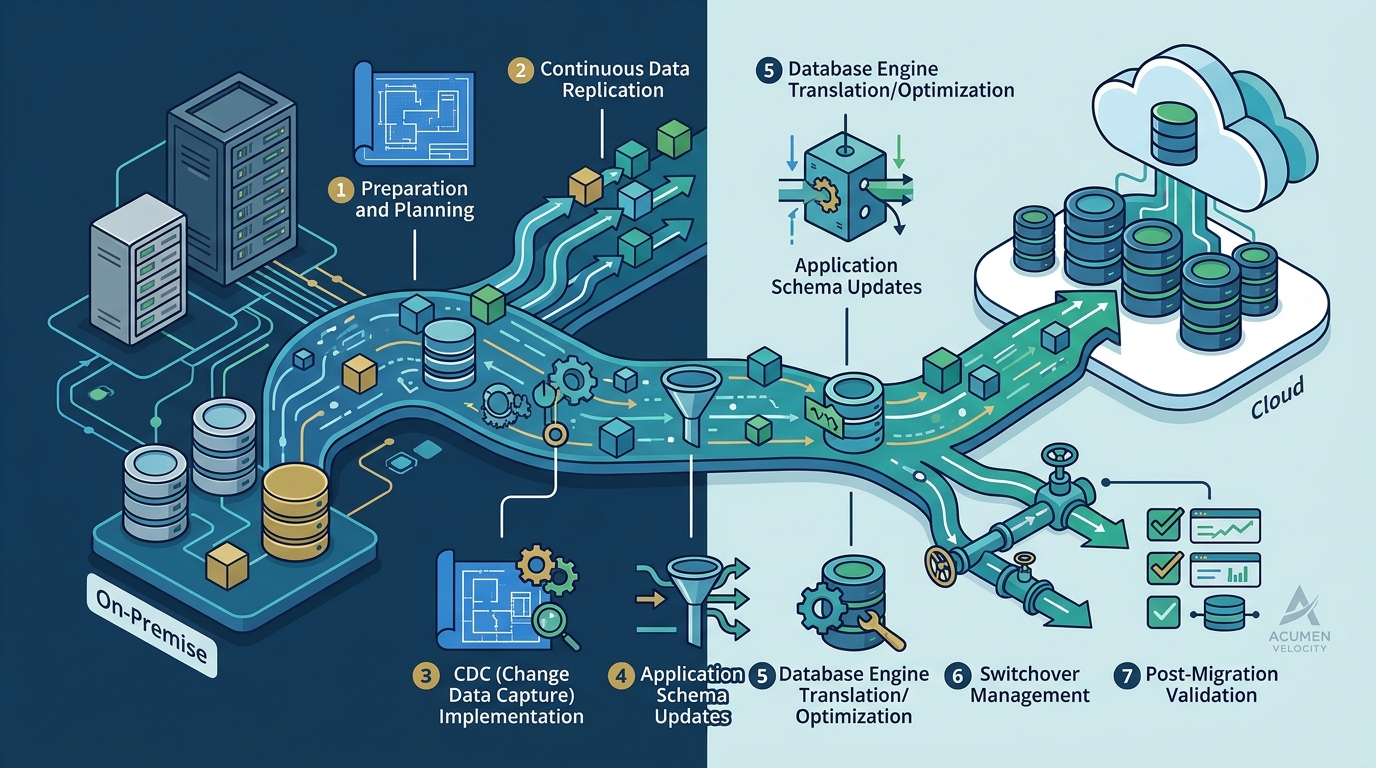
Continuous replication ensures data remains synchronized between on-premises and cloud environments. This technique involves setting up a real-time data feed from the source database to the target cloud database. It allows the cloud environment to stay current with the production system until the final cutover. This method significantly reduces the window of inactivity required for the final switch.
2. Blue-Green Deployment
Blue-green deployment maintains two identical production environments to enable instant failover. In this model, the "blue" environment runs the current production workload while the "green" environment hosts the new cloud database. Traffic is routed to the blue environment until the green environment is fully validated. Once ready, traffic is switched to the green environment, allowing for immediate rollback if issues arise.
3. Incremental Migration
Incremental migration moves data in smaller, manageable batches rather than one large transfer. This approach breaks the migration process into phases, allowing teams to move non-critical data first. It helps identify potential schema or performance issues early in the process. By the time critical data is moved, the infrastructure is already tested and optimized.
4. Application Layer Decoupling
Decoupling the application from the database allows for independent updates and testing. This technique involves using an abstraction layer or API to manage database interactions. It enables developers to test the new cloud database without affecting the live production system. This separation ensures that the application logic remains stable during the infrastructure transition.
5. Automated Failover Mechanisms
Automated failover systems detect issues and redirect traffic to a healthy environment instantly. These mechanisms monitor the health of both the source and target databases continuously. If the primary system experiences latency or failure, traffic is automatically rerouted to the backup. This ensures that users experience minimal disruption during the migration window.
6. Pre-Migration Load Testing
Load testing validates that the cloud environment can handle production traffic before cutover. Teams simulate peak usage scenarios to ensure the new database can sustain the required performance levels. This step identifies bottlenecks in network latency or compute resources. It provides confidence that the cloud environment is ready to support real-world workloads.
7. Real-Time Monitoring and Alerting
Real-time monitoring provides immediate visibility into data integrity and system performance. During the migration, continuous monitoring tracks key metrics such as query response times and error rates. Alerts are triggered if any deviation from expected performance is detected. This proactive approach allows teams to address issues before they impact end-users.
Choosing the Right Technique
Frequently Asked Questions
What is the biggest risk during a database cloud migration?
The primary risk is data loss or corruption during the transfer process. Implementing robust validation checks and maintaining a complete backup of the source database mitigates this risk.
How long does a zero-downtime migration typically take?
The duration varies based on data volume and complexity. However, the actual cutover window for zero-downtime strategies is often measured in minutes rather than hours.
Can all databases be migrated with zero downtime?
Most modern relational and NoSQL databases support zero-downtime migration techniques. However, legacy systems with complex dependencies may require a hybrid approach with minimal downtime.
What role does Acumen Velocity play in these migrations?
Acumen Velocity provides expert guidance and execution for cloud database migrations. Our team designs the migration strategy and implements the necessary tools to ensure a smooth transition.
Is it necessary to re-architect the database during migration?
Re-architecting is not always necessary, but it can be beneficial for optimizing cloud performance. Teams should evaluate their current schema to ensure it aligns with the target cloud provider's best practices. Learn more: Contact us.